
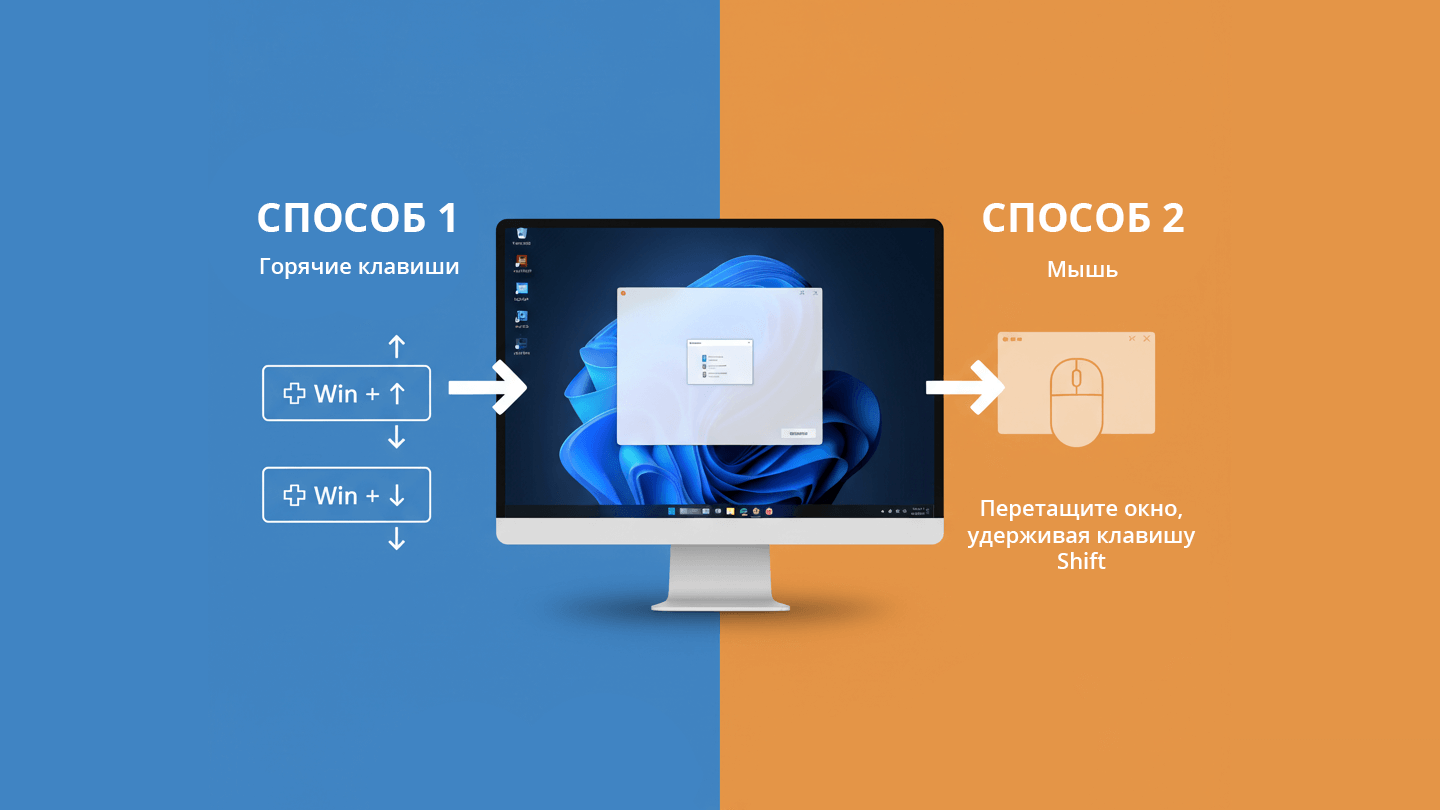
If you, like me, love order on your desktop and while working, positioning the application window in the center of the screen is a very interesting idea and practice.
You open a window, then another, and so on, so it creates a variety in the position of windows on the desktop. And, agree, how beautiful it is when the necessary window, in which you are working now, is exactly in the middle - in the center of the screen.
I found a ready-made application that works in a minimized form - Window Centering Helper. The application has a portable version, which is quite enough for such a simple task.
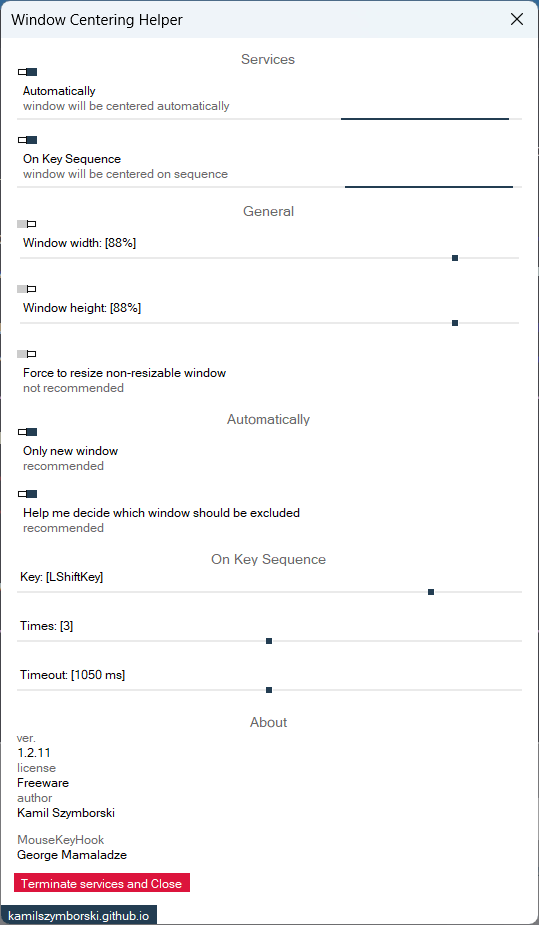
The program has a number of settings that define automatic and manual window centering. For example, you can press the right “Shift” key three times on the keyboard and the active window will be centered.
Download Window Centering Helper
- File name: WindowCenteringHelper-PE.exe. (прямая ссылка)
- Версия: 1.2.11 beta
- File size: 1.3 MByte
- Requirement: OS Windows 7/8.1/10/11
- MD5: a730d2d86ded709c737c3a45204fe549
There is one important “BUT”. The program has not been updated for a very long time, has a user interface only in English (maybe it is important for someone) and does not have the ability to work in fully hidden mode.
Centering script
I found another solution for myself - a self-written script. It works fully automatically and is not displayed in the system at all (no system tray icons).
' Silent Window Centerer Launcher (Final Version)
' Автор: Илья Анисимов
' Web: https://iluh.in
' Запускает центрирование окон с исправленной логикой

Set objShell = CreateObject("WScript.Shell")

' Проверяем, запущен ли уже процесс
Set objWMI = GetObject("winmgmts:")
Set colProcesses = objWMI.ExecQuery("SELECT * FROM Win32_Process WHERE Name = 'powershell.exe' AND CommandLine LIKE '%WindowCentererSilent%'")

If colProcesses.Count > 0 Then
    WScript.Quit
End If

' PowerShell команда с исправленной переменной
psCommand = "powershell.exe -WindowStyle Hidden -NoProfile -ExecutionPolicy Bypass -Command """ & _
"$Host.UI.RawUI.WindowTitle = 'WindowCentererSilent'; " & _
"Add-Type -AssemblyName System.Windows.Forms; " & _
"Add-Type -TypeDefinition 'using System; using System.Runtime.InteropServices; " & _
"public class Win32 { " & _
"[DllImport(\""user32.dll\"")] public static extern IntPtr GetForegroundWindow(); " & _
"[DllImport(\""user32.dll\"")] public static extern bool GetWindowRect(IntPtr hWnd, out RECT lpRect); " & _
"[DllImport(\""user32.dll\"")] public static extern bool SetWindowPos(IntPtr hWnd, IntPtr hWndInsertAfter, int X, int Y, int cx, int cy, uint uFlags); " & _
"[DllImport(\""user32.dll\"")] public static extern bool IsWindowVisible(IntPtr hWnd); " & _
"[DllImport(\""user32.dll\"")] public static extern bool IsZoomed(IntPtr hWnd); " & _
"[DllImport(\""user32.dll\"")] public static extern bool IsIconic(IntPtr hWnd); " & _
"[DllImport(\""user32.dll\"")] public static extern IntPtr GetParent(IntPtr hWnd); " & _
"[DllImport(\""dwmapi.dll\"")] public static extern int DwmGetWindowAttribute(IntPtr hwnd, int dwAttribute, out bool pvAttribute, int cbAttribute); " & _
"[DllImport(\""user32.dll\"")] public static extern uint GetWindowThreadProcessId(IntPtr hWnd, out uint lpdwProcessId); " & _
"[StructLayout(LayoutKind.Sequential)] public struct RECT { public int Left; public int Top; public int Right; public int Bottom; } " & _
"public const uint SWP_NOSIZE = 0x0001; public const uint SWP_NOZORDER = 0x0004; " & _
"public const int DWMWA_CLOAKED = 14; }'; " & _
"$screen = [System.Windows.Forms.Screen]::PrimaryScreen.WorkingArea; " & _
"$excludeProcesses = @('ShellExperienceHost', 'SearchHost', 'StartMenuExperienceHost', 'LockApp', 'SystemSettings', 'explorer'); " & _
"function Center-Window($hWnd) { " & _
"if ($hWnd -eq [IntPtr]::Zero -or -not [Win32]::IsWindowVisible($hWnd) -or [Win32]::IsZoomed($hWnd) -or [Win32]::IsIconic($hWnd) -or [Win32]::GetParent($hWnd) -ne [IntPtr]::Zero) { return } " & _
"try { $isCloaked = $false; " & _
"[Win32]::DwmGetWindowAttribute($hWnd, [Win32]::DWMWA_CLOAKED, [ref]$isCloaked, [System.Runtime.InteropServices.Marshal]::SizeOf([bool])) | Out-Null; " & _
"if ($isCloaked) { return } } catch {} " & _
"$processId = 0; [Win32]::GetWindowThreadProcessId($hWnd, [ref]$processId) | Out-Null; if ($processId -eq 0) { return } " & _
"try { $processName = (Get-Process -Id $processId -ErrorAction Stop).ProcessName; if ($excludeProcesses -contains $processName) { return } } catch { return } " & _
"$rect = New-Object Win32+RECT; " & _
"if (-not [Win32]::GetWindowRect($hWnd, [ref]$rect)) { return } " & _
"$width = $rect.Right - $rect.Left; $height = $rect.Bottom - $rect.Top; " & _
"if ($width -le 80 -or $height -le 40 -or $width -ge $screen.Width -or $height -ge $screen.Height) { return } " & _
"$newX = [math]::Max(0, ($screen.Width - $width) / 2 + $screen.Left); " & _
"$newY = [math]::Max(0, ($screen.Height - $height) / 2 + $screen.Top); " & _
"[Win32]::SetWindowPos($hWnd, [IntPtr]::Zero, [int]$newX, [int]$newY, 0, 0, [Win32]::SWP_NOSIZE -bor [Win32]::SWP_NOZORDER) | Out-Null; } " & _
"$lastWindow = [IntPtr]::Zero; " & _
"while ($true) { " & _
"try { " & _
"$hWnd = [Win32]::GetForegroundWindow(); " & _
"if ($hWnd -ne $lastWindow) { " & _
"$lastWindow = $hWnd; " & _
"Start-Sleep -Milliseconds 150; " & _
"Center-Window $hWnd; " & _
"} } catch { } " & _
"Start-Sleep -Milliseconds 300; }"""

' Запускаем PowerShell скрыто
objShell.Run psCommand, 0, False
You can save this script in a file *.vbs and put that file in the autoloader:
- Open the Run window (keyboard shortcut: Win+R).
- Enter the command shell:startup.
- Press «OK» or «Enter» to execute the command.
Or you can run this file yourself as needed. To terminate the script in Task Manager, in the search bar, type powershell and terminate the Windows PowerShell process - “powershell.exe“.